Napaka: The mail could not be sent to the recipients because of the mail server failure. Exception Message: Cannot send mails to mail server. (The SMTP server requires a secure connection or the client was not authenticated. The server response was: 5.7.57 Client not authenticated to send mail. Error: 535 5.7.139
Rešitev: Vključitev SMTP avtorizacije za določenega uporabnika na portalu portal.office.com. Z vključitvijo te opcije je mogoče pošiljati elektronsko pošto iz “manj varnih” aplikacij (tudi Microsoft SQL – Management Studio).
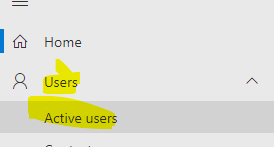
Uporabniki –> aktivni uporabniki:
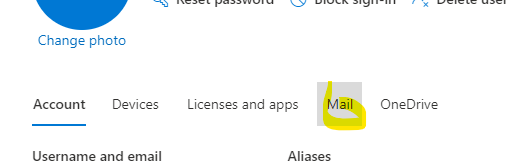
Izberete željenega uporabnika in in nato izberete zavihek mail na desni:
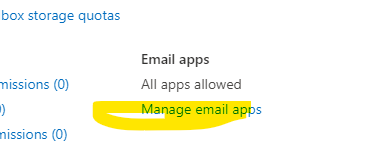
Menage email apps:
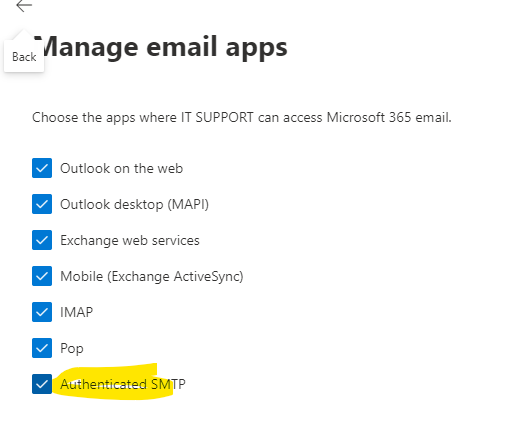
VKljučite opcijo “Authenticated SMTP”:
Pošiljanje elektronske pošte bi sedaj moralo delovati.